Create & remix
Create music with AI Generate original tracks from a text prompt and publish them to your catalog, with AI provenance recorded automatically.
Artists
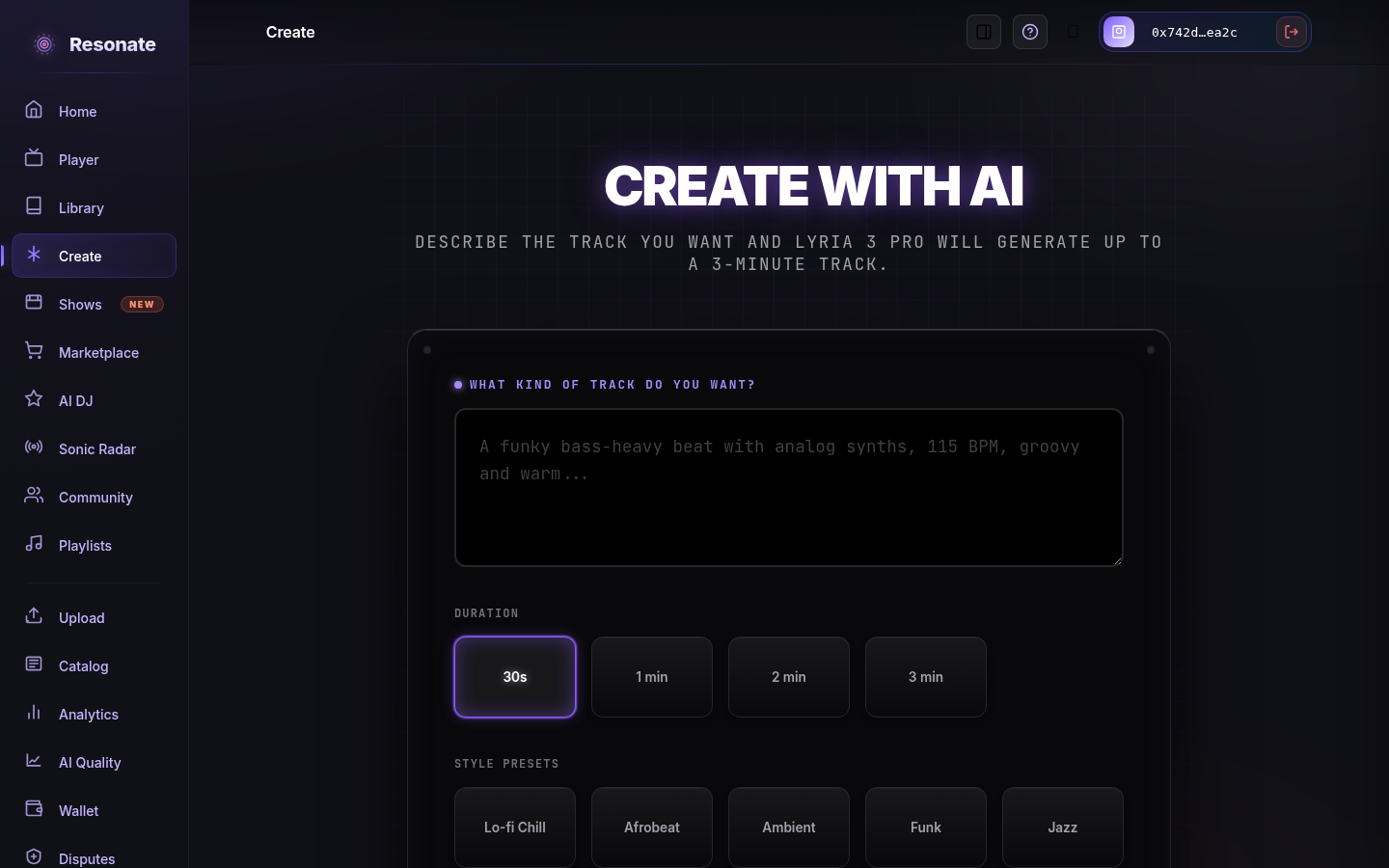
# Generating a trackOpen Create and connect if needed. Describe the music you want — genre, mood, instruments, tempo. Pick a duration and an optional style preset. Generate, preview the result, and refine your prompt until you're happy. Create: describe the track, choose a length and style, and generate. · Signed-in preview Generating uses credits
AI generation runs on prepaid credits — longer tracks cost more. The Credits meter above the Generate button shows roughly how much generation you have left (in minutes and tracks) and updates after each track. New accounts start with a small free allowance so you can try it right away. Once that runs out, generation is blocked with a message; ask an operator for a credit grant to top up. Refined-away or failed generations are not charged.
Out of credits? Ask an operator
When generation is blocked for low credits, the message includes a Request credits from an operator button. Tap it to notify an operator, who can top up your balance — you'll get a confirmation that they've been notified, and a notification when the credits are added.
For operators: processing credit requests
Operators and administrators get an in-app notification for each request; it opens Credit Requests in the admin navigation. The Pending tab shows each requester's note and current balance. Grant a quick amount ($1, $5, or $10) or a custom one with an optional reason, or dismiss the request with a note. Every grant asks you to confirm, is recorded in the credit ledger, and notifies the requester. A request can only be resolved once, and you can't resolve your own request; another operator has to. The Resolved tab keeps the history.
# PublishingWhen you publish, the track becomes a release in your catalog. Because Resonate generated it, the AI provenance is recorded for you — you don't need to provide separate proof-of-ownership evidence.
Honest AI labelling
AI-generated and AI-assisted music is labelled as such on its release page so listeners always know what they're hearing.