#Editing your profile
Open your artist page and, when you have access, you'll see an "Edit profile" button. Use it to set your profile image, a short bio, your website, and links to your social accounts (X, Instagram, TikTok, YouTube, SoundCloud). Other visitors see the page read-only.
#Following an artist
Choose Follow on an artist page, or beside the artist's name on a release page, to say you want to keep up with them. Choose Following to stop. You need to be connected to follow; if you are not, the button asks you to connect first. You cannot follow a profile you own or manage.
Following is private. There is no public follower list or count, no feed and no notifications yet. The artist never sees who follows them. When you have allowed usage measurement, a follow can add to the shared, anonymous totals artists see in Scene Scout city demand and in first-week reception. These totals appear only when enough different listeners are involved. City demand also needs a city you chose to share and a follow made from one of that artist's releases; the app does not yet ask listeners for a city, so ordinary follows do not add city demand yet. If you have not allowed usage measurement, following still works and nothing is recorded for artists. Unfollowing removes you from those totals.
#Suggesting profile information
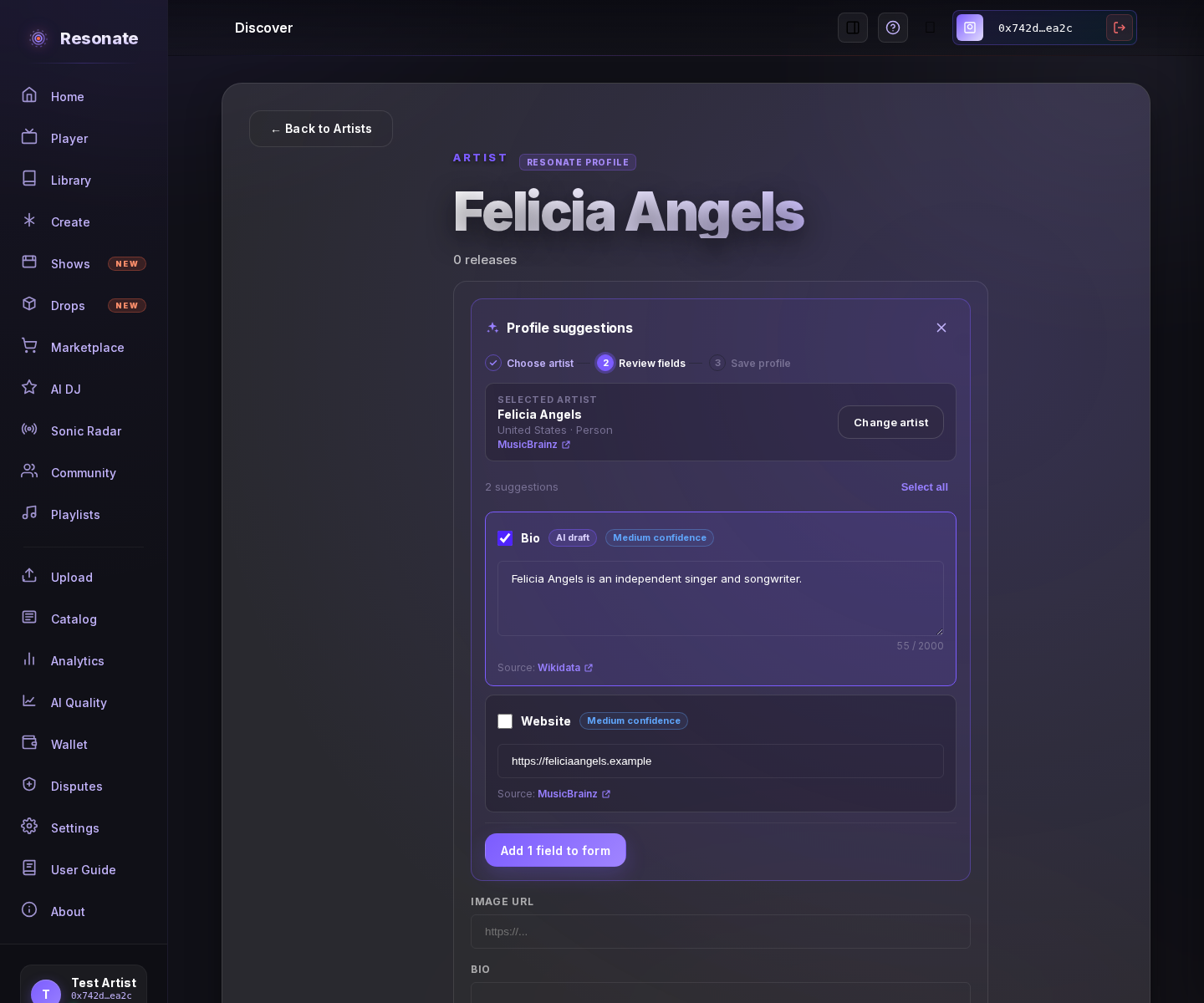
While editing a profile you manage, choose "Find suggestions" to look up your artist in public music databases (MusicBrainz and Wikidata). Pick the exact artist from the results and choose "Review suggestions"; artists with the same name can have separate profiles, so check the details and source link first. Each proposed field shows its source and confidence, and the bio is marked "AI draft" because it is written by AI from public facts. Edit any suggested text and select only the fields you want. If a field already contains information, you'll see its current value and must confirm that you want to replace it. Choose "Add … to form" to fill the edit form; added fields are marked "Suggested" until you edit them. If you change a suggestion after adding it, add it to the form again before saving. Nothing is published until you choose "Save changes". Closing the panel before adding suggestions changes nothing, and canceling the editor discards staged changes.
#Claiming a credited artist page
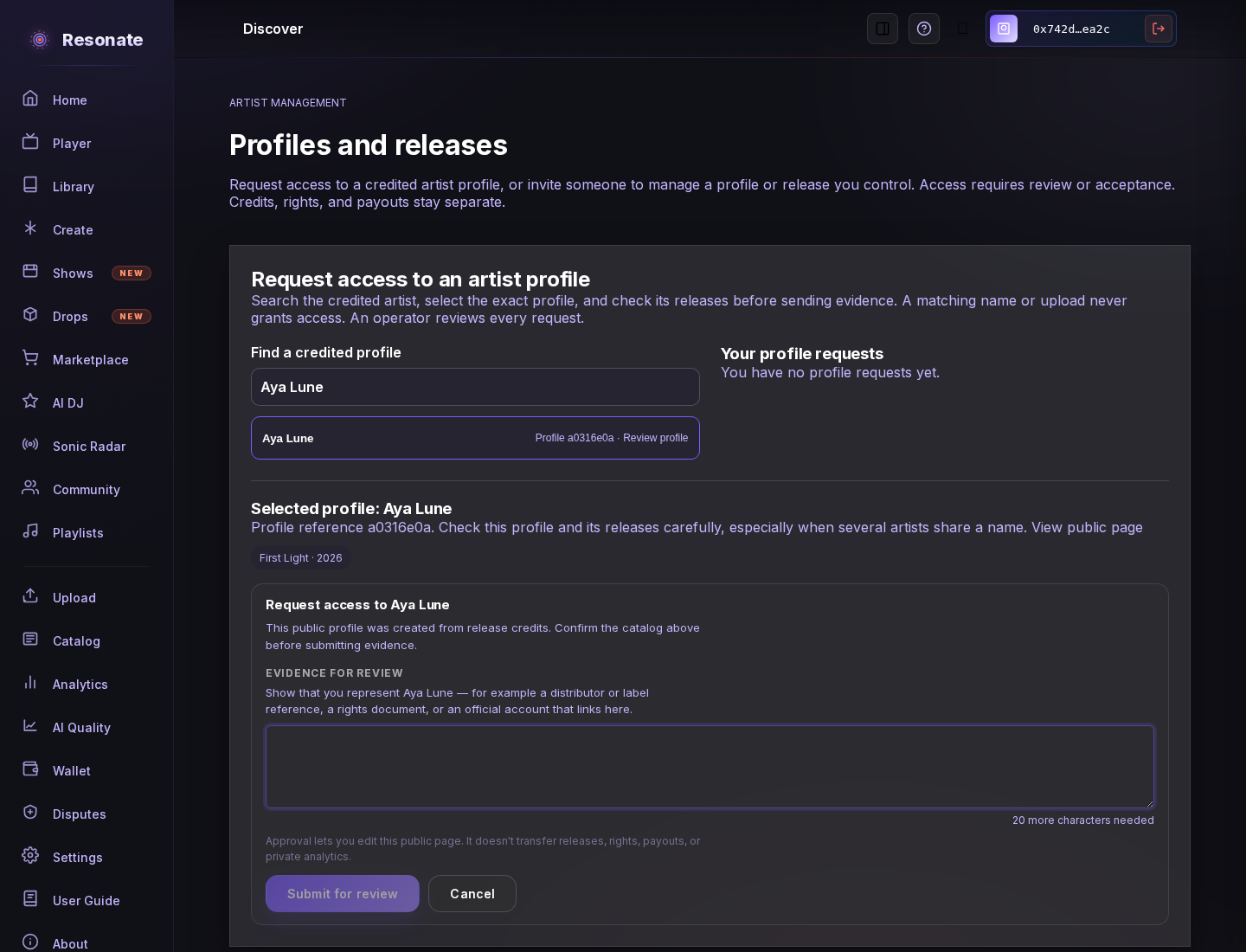
Sign in and open Artist management, then search for the credited artist. Select the exact profile and check its releases, especially when artists share a name. Eligible profiles let you submit evidence that you represent the artist — for example a distributor or label reference, a rights document, or an official account that links to the page. An operator reviews each request; a matching name, release credit, or upload does not grant access. Your requests and their pending, approved, rejected, or revoked status appear in Artist management. After rejection or revocation, you can submit new evidence if the profile still accepts requests.
An approved claim lets you edit the public page. It does not transfer release management, rights, payouts, or private analytics from another account.
#Sharing management access
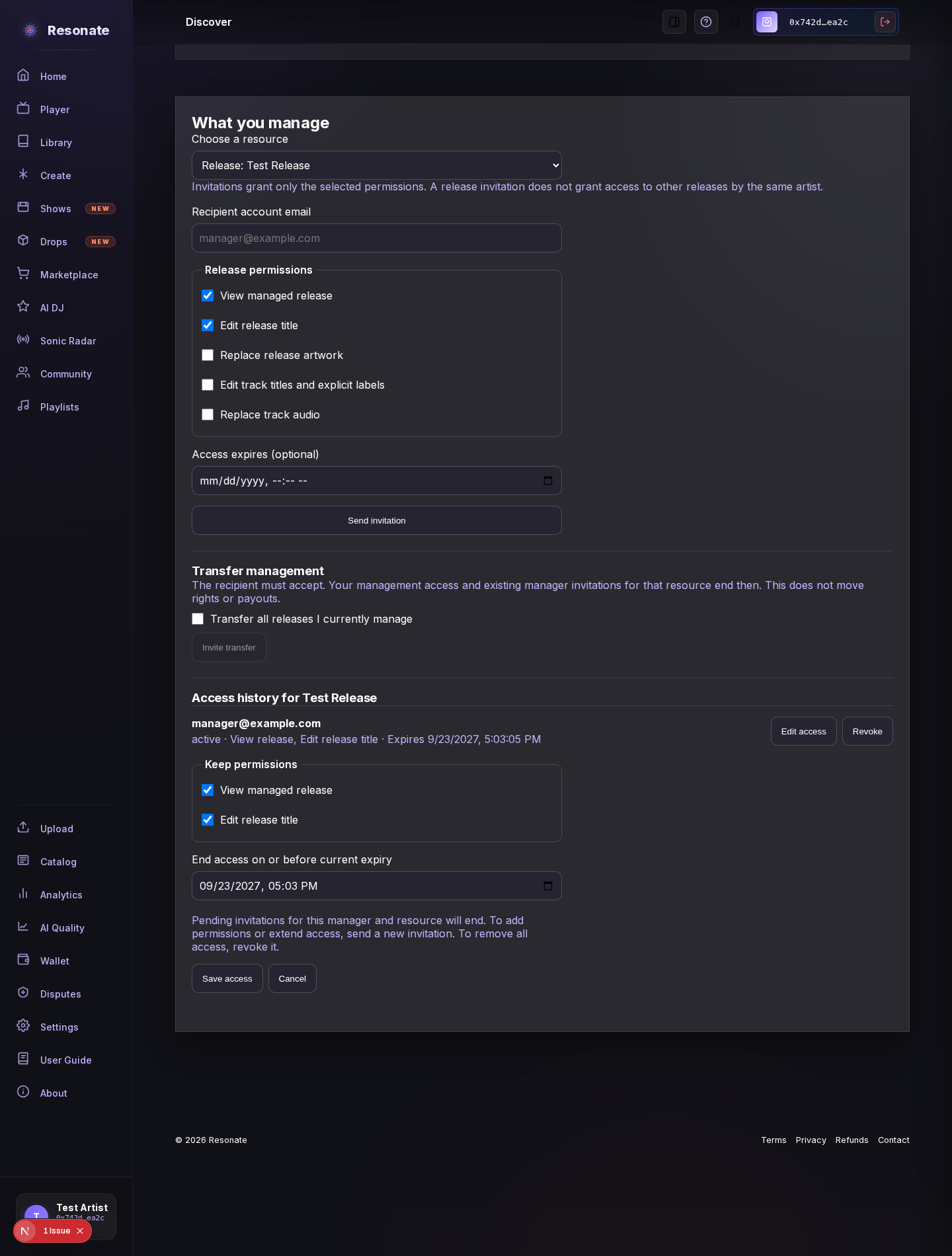
Open Artist management from Your catalog to invite a registered account to help with one profile or release. Choose the permissions they need and an optional expiry date. The invitation gives them no access until they accept it. You can later remove permissions or shorten their access, or revoke it entirely. Reducing access ends other pending invitations for that manager and resource. To add permissions or extend access, send a new invitation for them to accept.
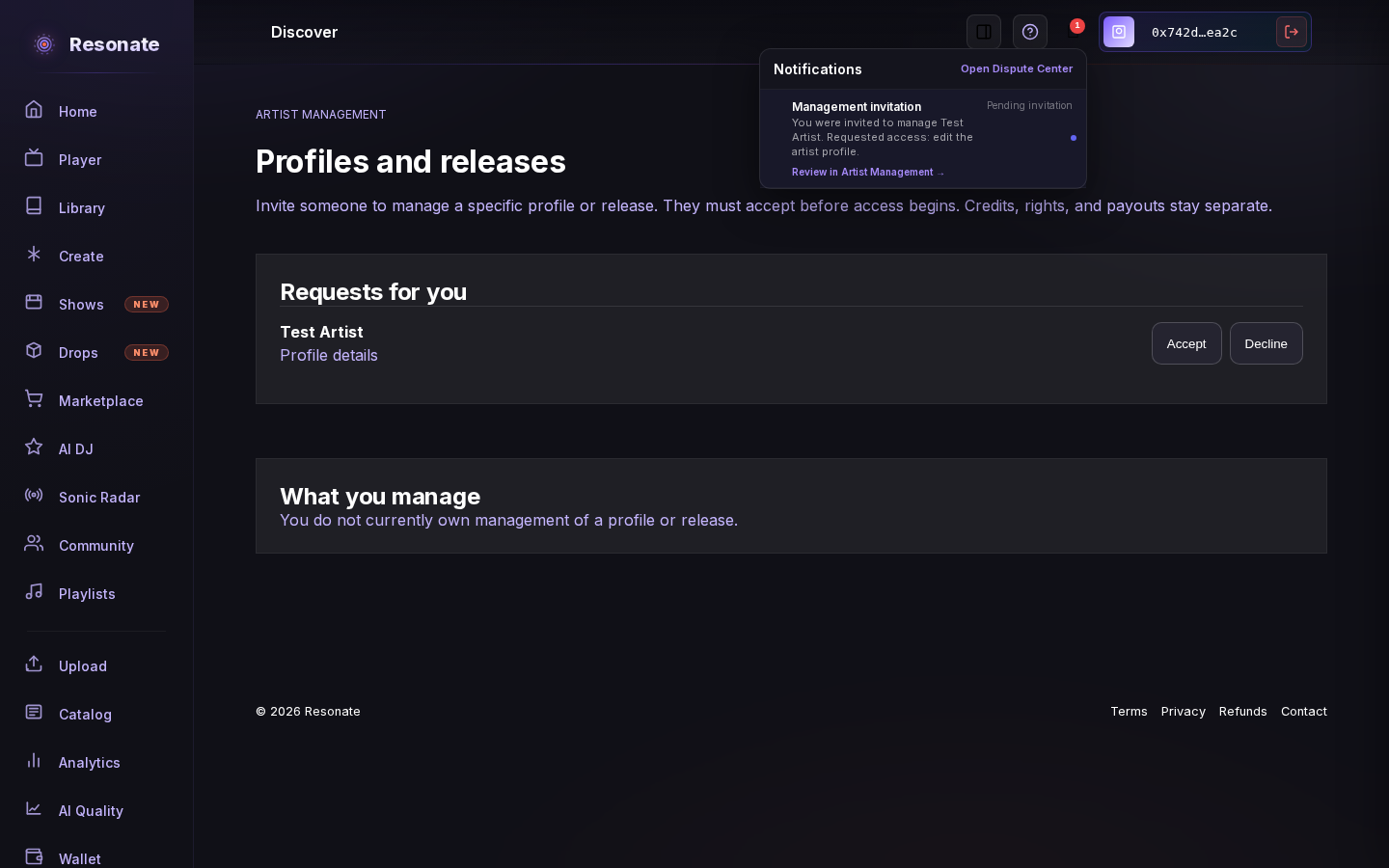
When someone invites you to manage a profile or release, the notification bell shows the pending invitation while you are signed in. Open it to review the exact access and accept or decline on Artist management. The alert disappears after the invitation is resolved or expires.
On a ready release that has not been published yet, the owner or an accepted manager with Replace track audio permission can choose one audio file for a track, unless a current stem has already been minted. Supported formats are MP3, WAV, FLAC, AIFF (.aif or .aiff), M4A, AAC, and OGG; files can be up to 100 MiB. The existing audio stays playable while the replacement is processed; if it fails, the existing audio remains active. After a successful replacement, earlier stems remain available to purchases and remix projects that already use them.
To hand over management, send a transfer invitation for a profile, a selected release, or all releases you currently manage. The recipient must accept before your management access ends. Existing manager invitations for transferred resources end too, so the new owner can choose whom to invite. Profile and release management transfer separately; credits, rights, and payouts do not move with either transfer.
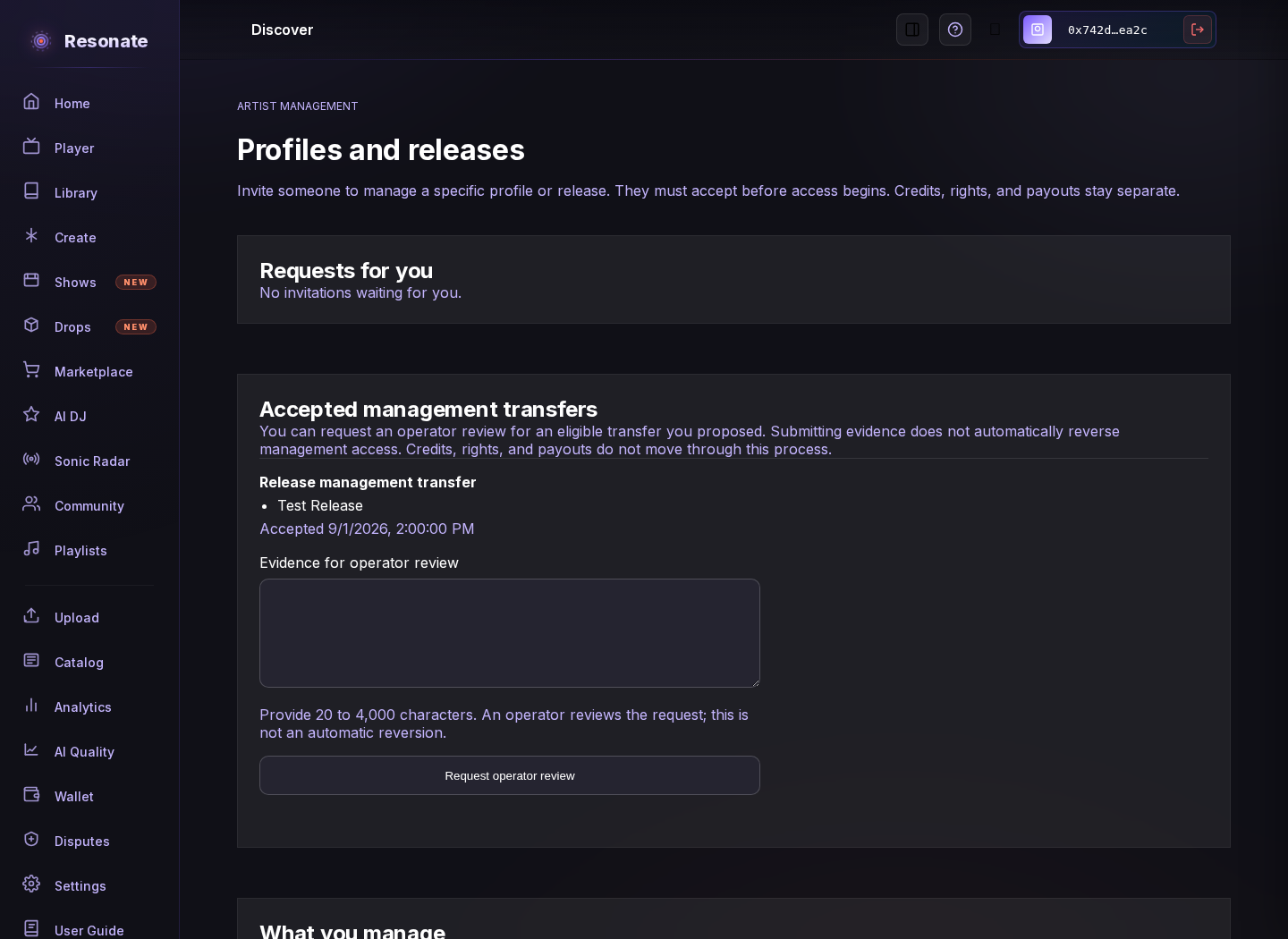
If you sent a transfer that was accepted by mistake, open Artist management and request recovery with evidence for an operator to review. Sending a request does not restore your access. Recovery is available only while the recipient still manages every resource in that transfer and no later accepted transfer has involved them. You can see whether your request is pending, approved, or rejected there. Credits, rights, and payouts do not change.
#Your name links to your page
When a release credit identifies your page clearly, its artist link opens that page. Credits that still need identity review open a catalog page for the credited name instead.