#What a Drop is
A Drop is a small collection of "moments" cut from your track — each a short clip (a few seconds) with a title, the lyric, optional artwork, a limited edition size, and a price you choose (including free). The first kind of drop is the Punchline drop, cut from your vocals: the hook, the punchline, the line fans scream back at you. More kinds — like epic orchestral moments — are on the way, and every drop shows its kind.
#Creating a drop
- Open one of your releases — as the owner you'll see a Punchline Drops panel below your tracks.
- Pick a track, then create a drop (or resume the draft you started earlier).
- Select the moment on the vocal timeline by dragging the start and end handles, and hit Preview to hear exactly what fans will get.
- Add the title, the lyric line, optional artwork, the edition size, and the price — the live card shows exactly how the collectible will look.
- Add more moments if you like (they can become a set), and optionally add a Set bonus — an extra vocal clip and a note that only fans who collect the whole set will unlock.
- Hit Publish when everything looks right.
Publishing shows you a review of everything in the drop, then cuts the audio clips and makes the drop public. Published drops can't be edited, so give the preview a real listen first.
#What buyers actually get
#Collecting moments (for fans)
On a release with a published drop, everyone sees a "Collect moments" section: lyric-first cards you can play, with how many editions are left. Sign in, tap Collect, and the edition number is yours. Free moments are claimed instantly; priced moments show their price and check out with your Resonate passkey wallet — you pay in USDC and the edition is granted the moment the payment clears. Each fan can collect one edition per moment, and when they are gone, they are gone.
You don't have to know which release has a drop: open Drops from the sidebar to browse the full collection gallery. Drops are ranked by collecting momentum, so recent collects and nearly-gone editions float to the top. Tap the filter chips above the gallery to narrow it by drop kind, genre, or free and paid moments; choose Include sold out when you want to see completed editions too. Each chip applies straight away and takes you back to the first page, and Clear filters returns to the full gallery. Your filters and page stay in the web address, so you can share the view. Use the play button to preview a Drop without leaving the gallery, or tap the rest of the card to open that release's collect section. The Home page also shows a smaller shelf of available Drops.
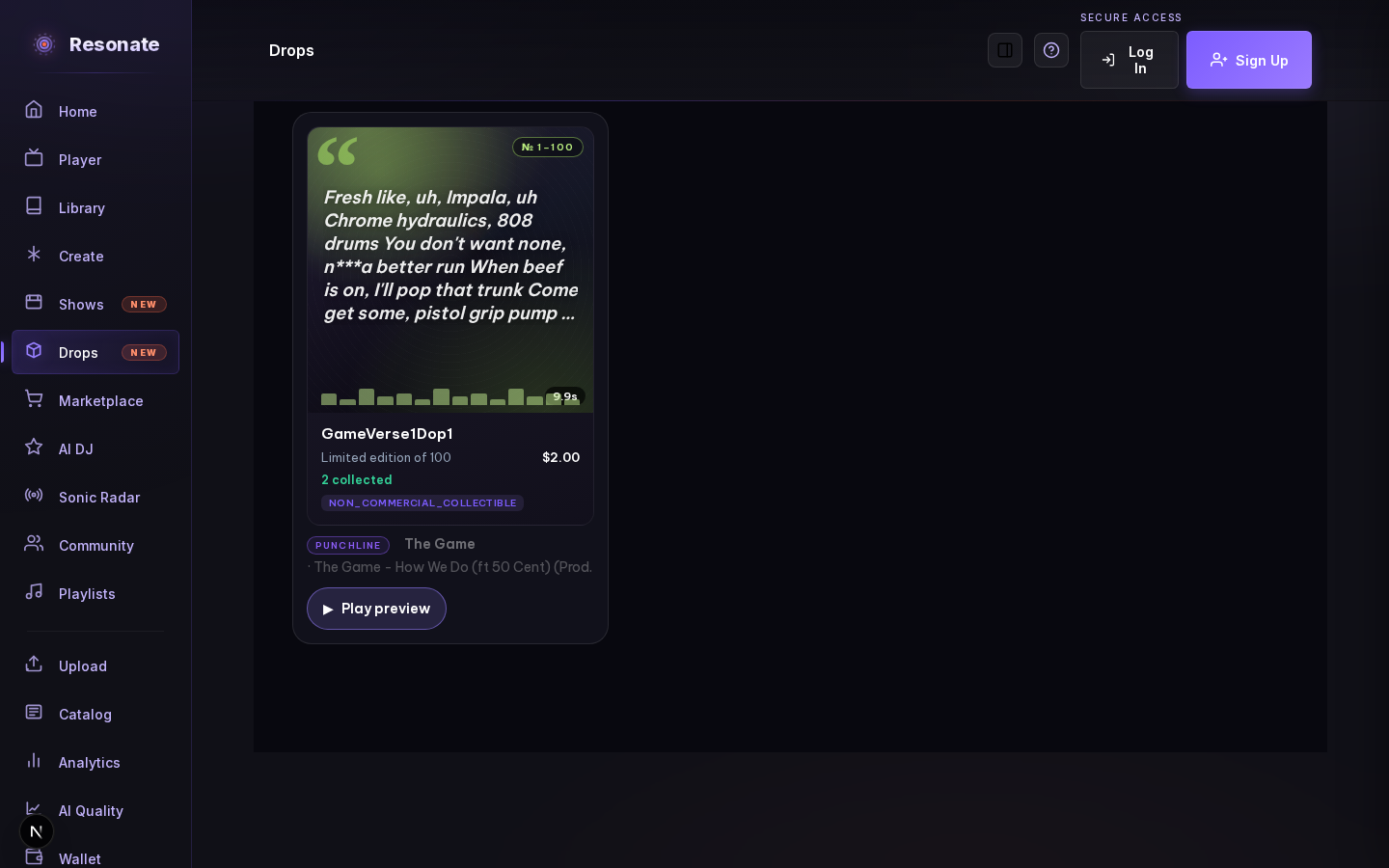
One note on lyrics: cards mask a small set of socially weighted words with asterisks on screen. The audio and the artist's original text are untouched — the card display just doesn't spell them out.
Want to show off what you own? Turn on "Show owned items" in your community profile settings and your newest collected moments appear on your public listener profile — never your wallet or what you paid.
Collected a moment you love? Every moment has its own shareable link — open it from the “Moments” tab in your Library (or the Collect section on the release) and tap Share. Whoever opens the link sees a branded preview card with the lyric, the artist, and how many editions are left, and can jump straight to collecting one. If you have made your community profile and collection public, your edition number and name ride along on the card; otherwise the link just shows the moment.
#What's coming next
Everything you collect lives in your Library under the Moments tab — grouped by drop, with your edition number and your progress toward each set. Complete a whole set and the artist's bonus unlocks instantly: a hidden extra clip and a personal note, shown right on the release page and in your Library.